
Your Routine,
Your Craft.
Track, analyze, and improve your daily routines
with our intuitive habit tracking platform.
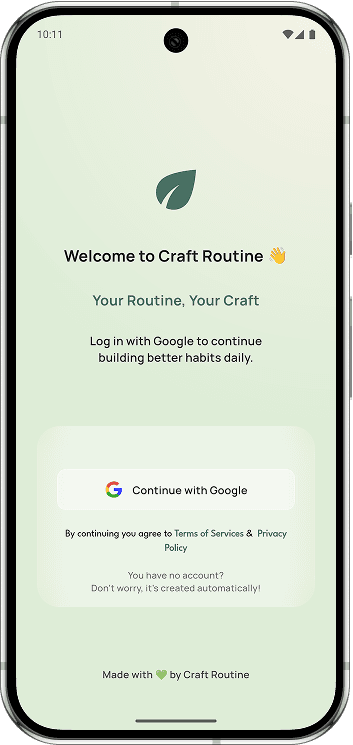
Welcome to Craft Routine
- This is the first screen users see when opening the app, designed to create a calm and welcoming first impression.
- It clearly explains the core value of Craft Routine — building habits that stick, tracking daily progress, and staying motivated.
- Users can start instantly by trying the app as a guest or sign in securely with Google for full access and data syncing.
- With no forced signup or complex steps, this screen lets users begin their habit journey on their own terms.
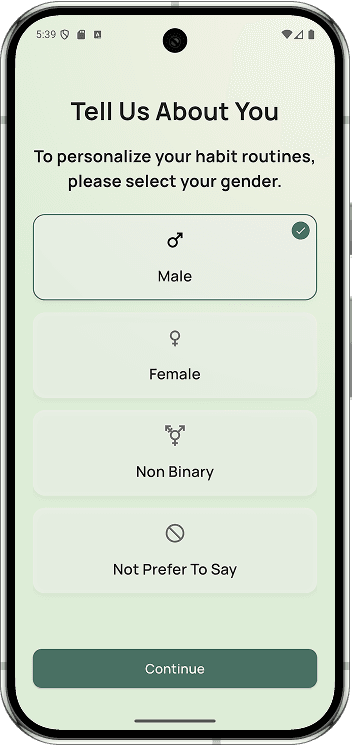
About You
- This screen allows users to optionally select their gender to help personalize the app experience.
- Users can choose one option: Male, Female, or Other, with a clear visual highlight for the selected choice.
- A checkmark and border indicate the currently selected option for better clarity.
- The Skip option lets users move forward without making a selection, respecting privacy and flexibility.
- The selection can be changed later from settings, ensuring users stay in full control of their information.
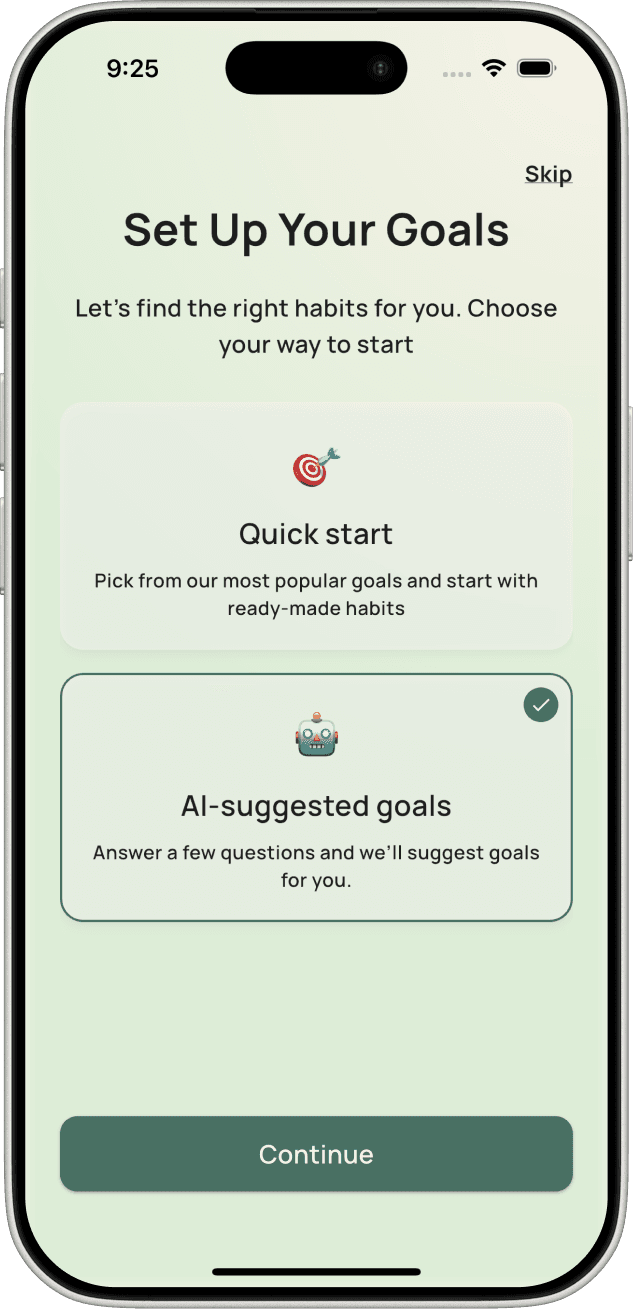
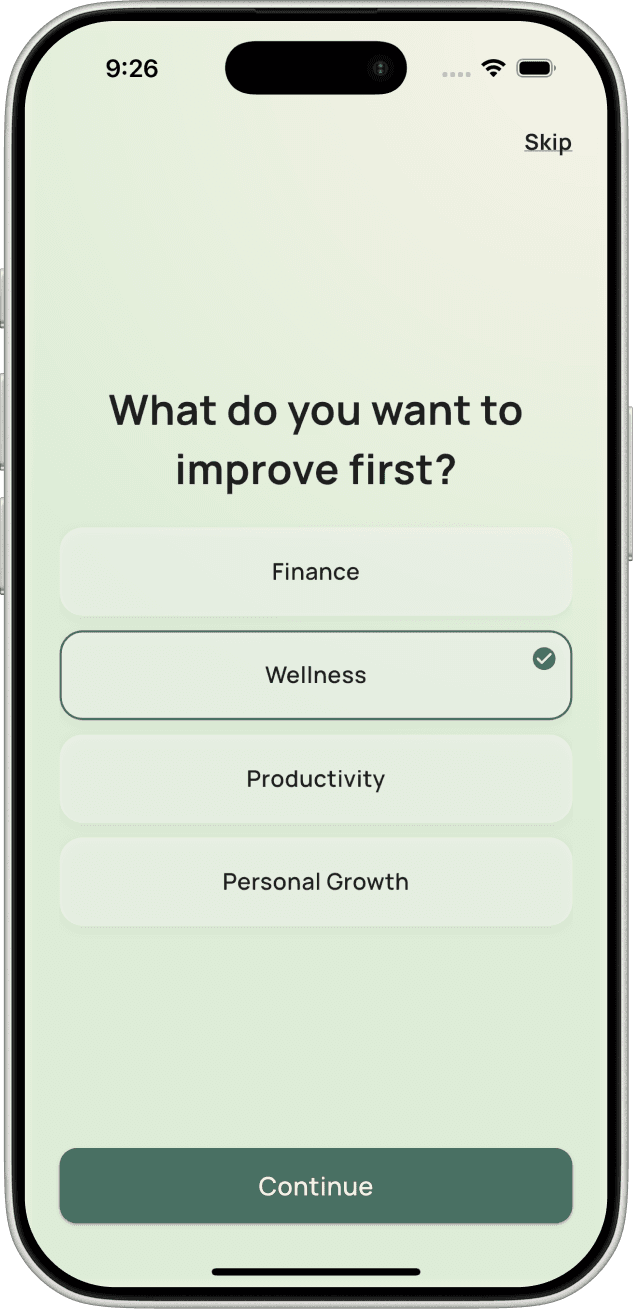
AI-Suggested Goal Setup
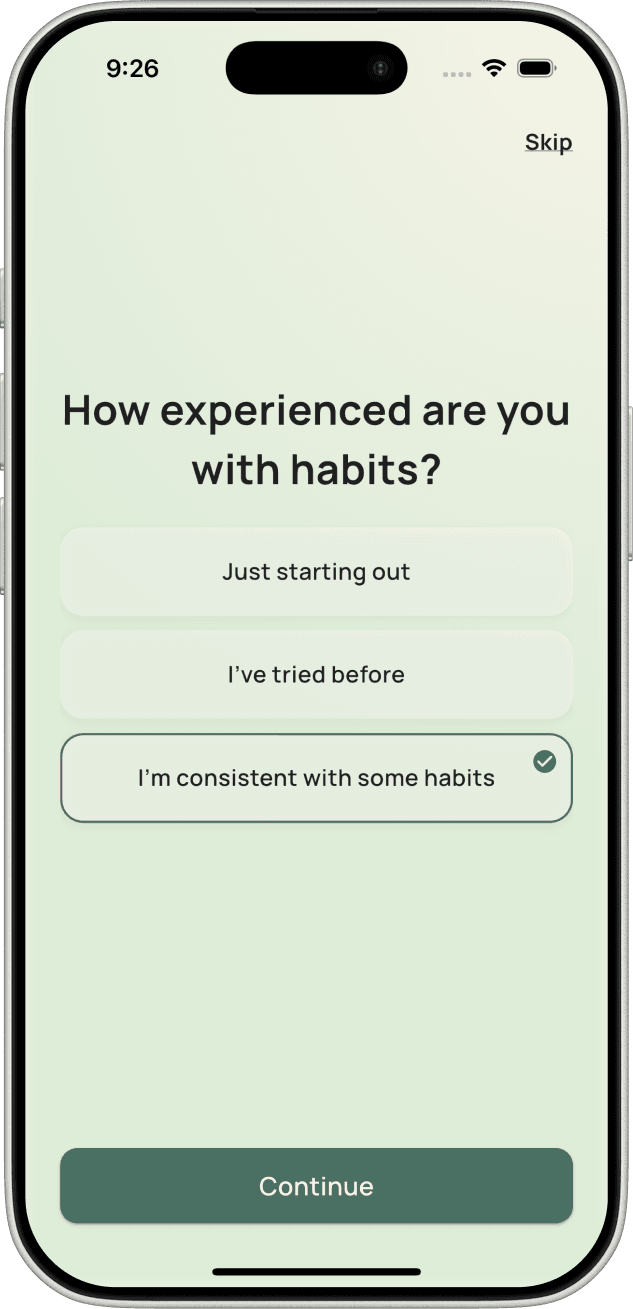
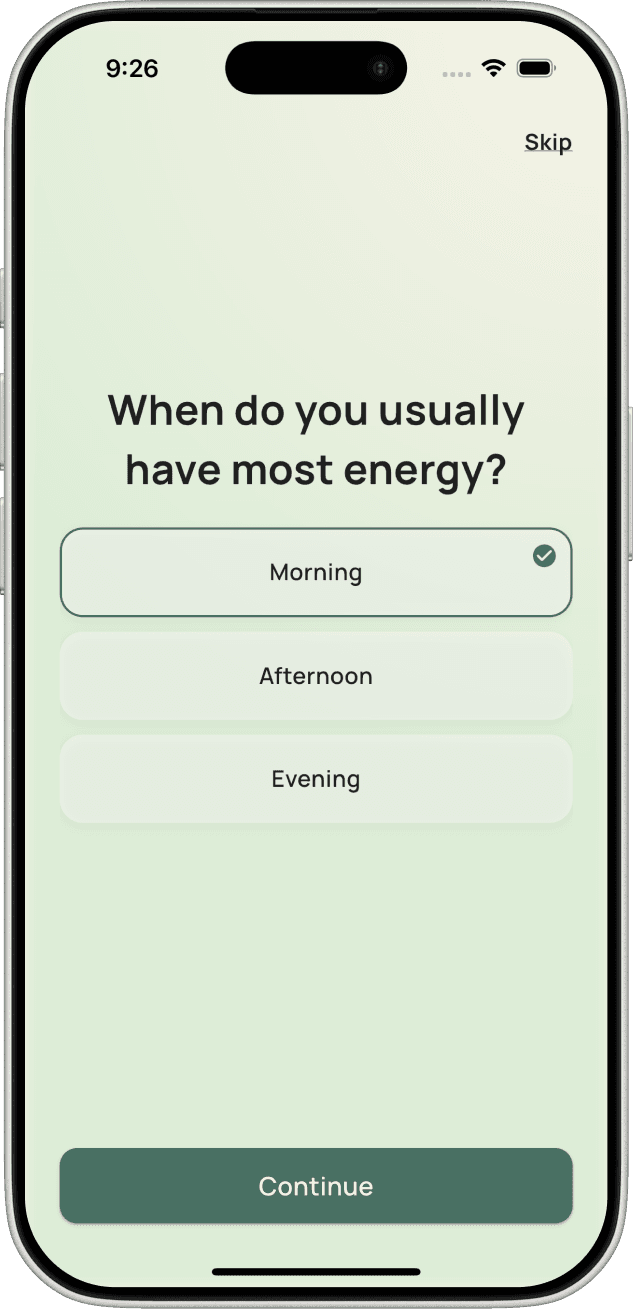
- This AI-driven onboarding flow personalizes the habit setup by asking a few simple, intuitive questions about the user’s priorities and lifestyle.
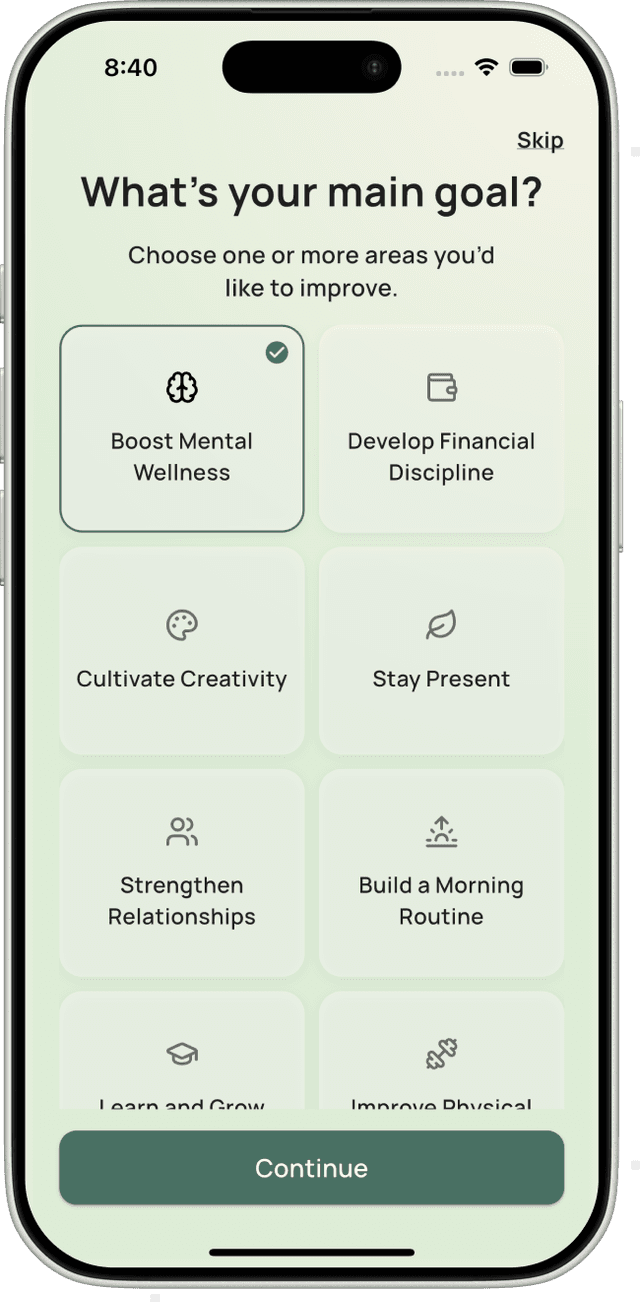
- Users start by selecting what they want to improve first (such as Wellness, Finance, Productivity, or Personal Growth), helping the system understand their primary focus.
- The flow adapts by asking contextual questions like energy levels and habit experience, ensuring recommendations match the user’s daily rhythm and consistency level.
- Based on the answers, the app suggests relevant goals and presents ready-made habits that align with the user’s preferences and selected goals.
- Skip options are available at every step, allowing users to move quickly while still receiving smart, AI-curated habit recommendations.
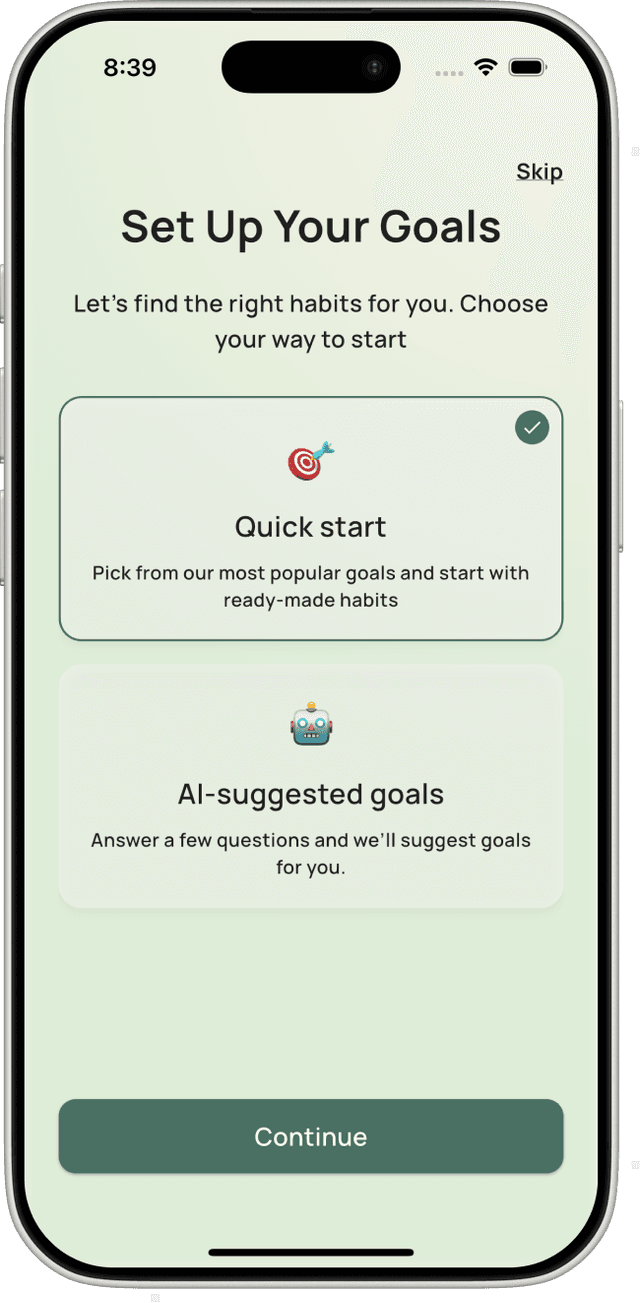
Quick Start Goal Setup
- This onboarding flow helps users start quickly by selecting ready-made goals without answering detailed questions.
- Users first choose their main focus areas, such as mental wellness, creativity, relationships, or building a routine.
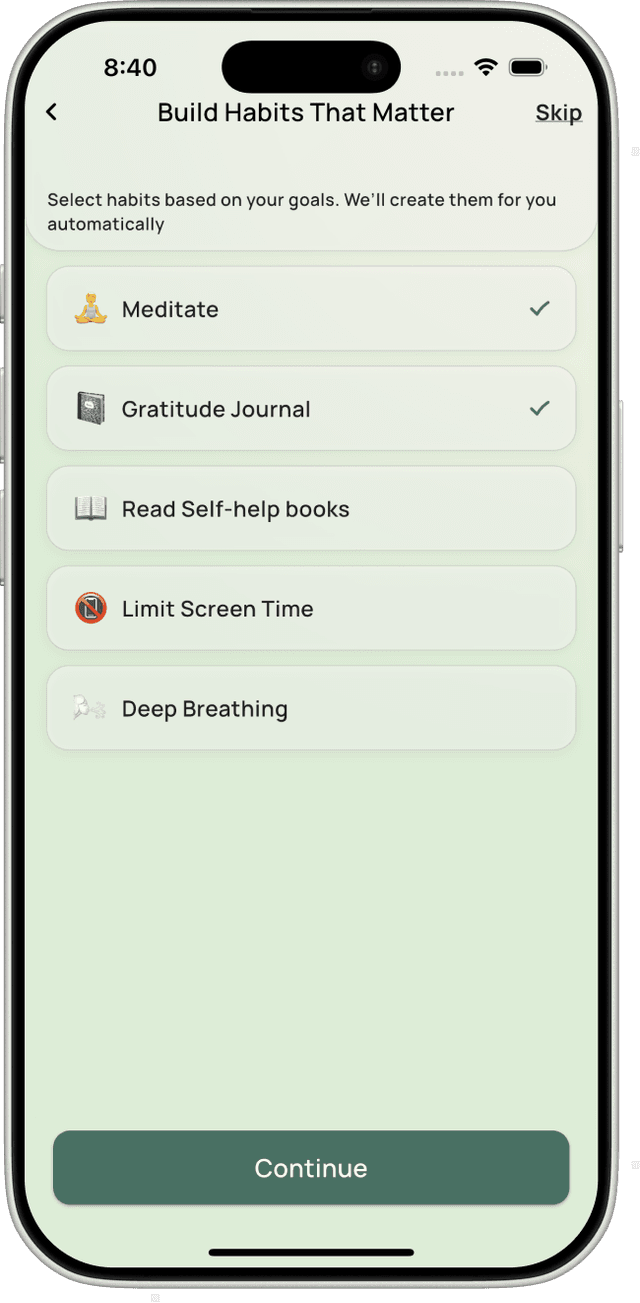
- Based on the selected goals, the app displays a curated list of popular habits that align with those goals.
- Users can review, select, or skip suggested habits, and they are created automatically once confirmed.
- Skip options are available at each step, allowing users to move fast while still getting a meaningful habit setup.
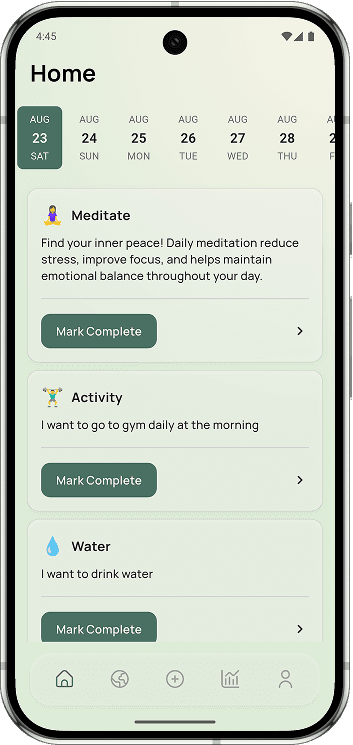
Home Dashboard
- The home screen acts as your daily command center, showing all active habits scheduled for today.
- Each habit card clearly indicates whether it’s pending, completed, or partially done.
- You can mark habits as completed with a single tap and see instant visual feedback.
- By focusing only on today, the home screen helps you stay consistent without long-term pressure.
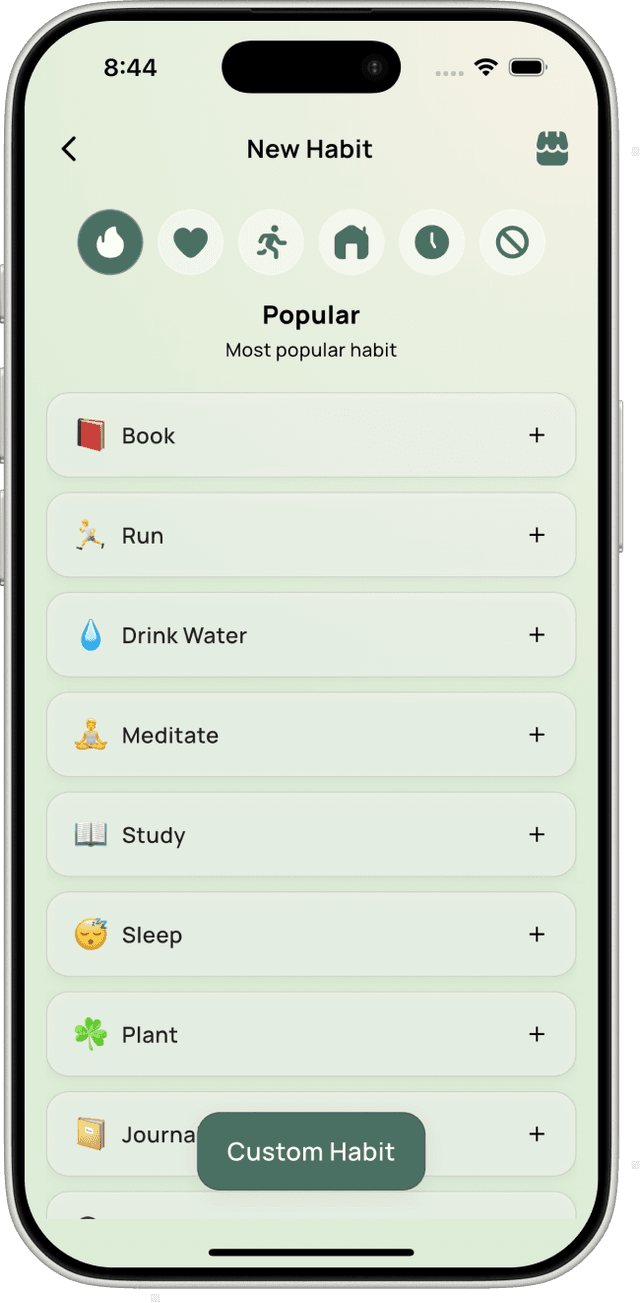
Add Habit – Flexible Creation Flow
- This flow lets users add new habits using prebuilt suggestions, goal-based browsing, or full custom creation.
- Users can explore habits by life goals such as mental wellness, mindfulness, creativity, or physical health.
- Each prebuilt habit includes a quick add (+) option, allowing instant creation with default settings.
- Popular habits are highlighted to help users get started fast without overthinking.
- A Custom Habit option is always available for users who want full control over habit details.
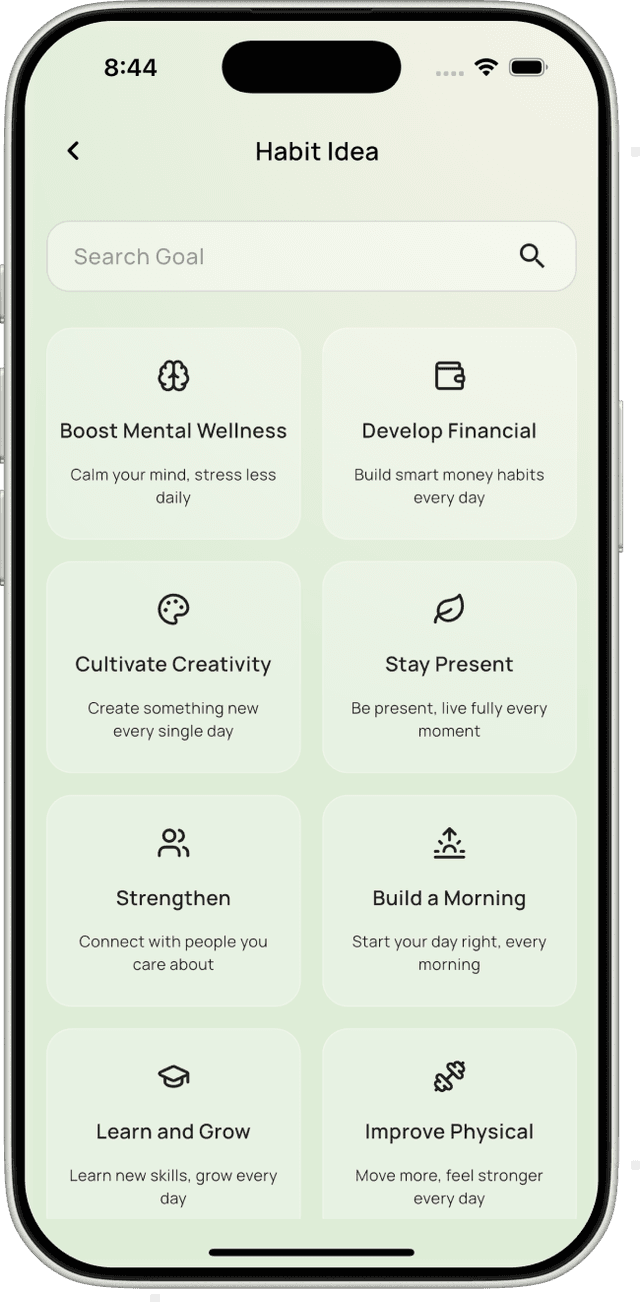
Goals & Habits
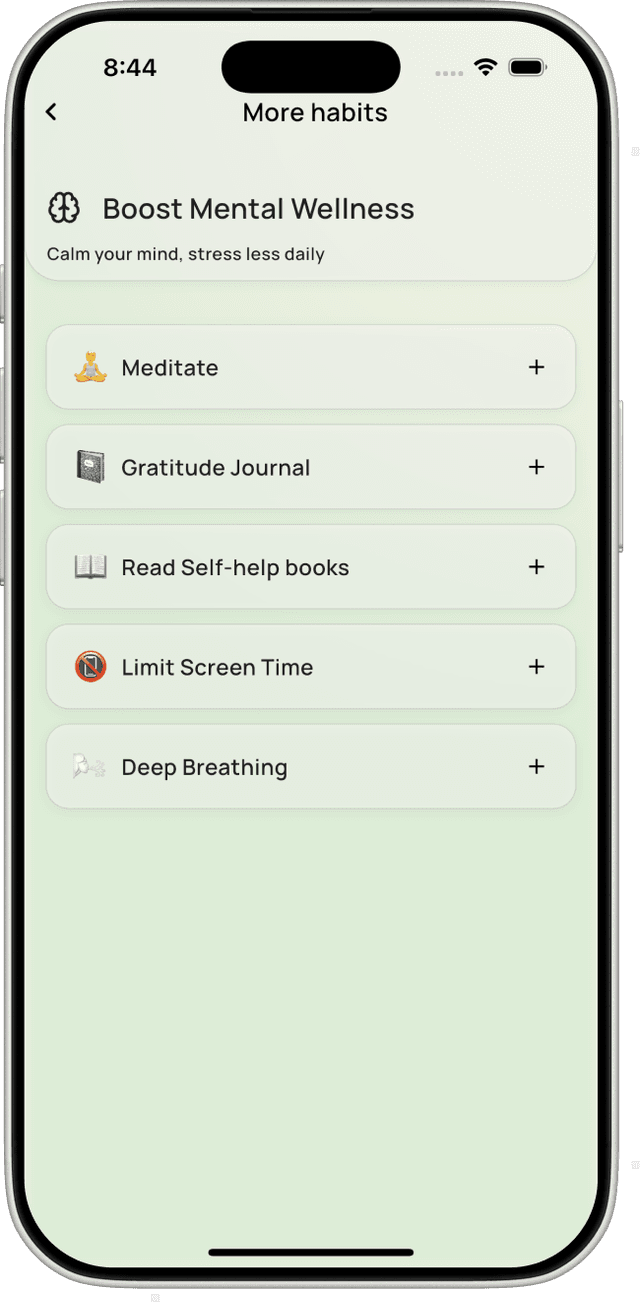
- This screen helps users discover habit ideas by browsing goals and related habit categories in a clean, swipe-based flow.
- The Habit Idea view shows goal cards like Mental Wellness, Creativity, and Physical Health, helping users start from a high-level intention.
- Each goal card includes a short description to clearly explain the benefit of that goal before selection.
- Swiping or selecting a goal opens the More Habits view, which lists specific, ready-made habits related to the chosen goal.
- Users can quickly add any habit using the + button, making habit creation fast, flexible, and beginner-friendly.
Habit Action Screen
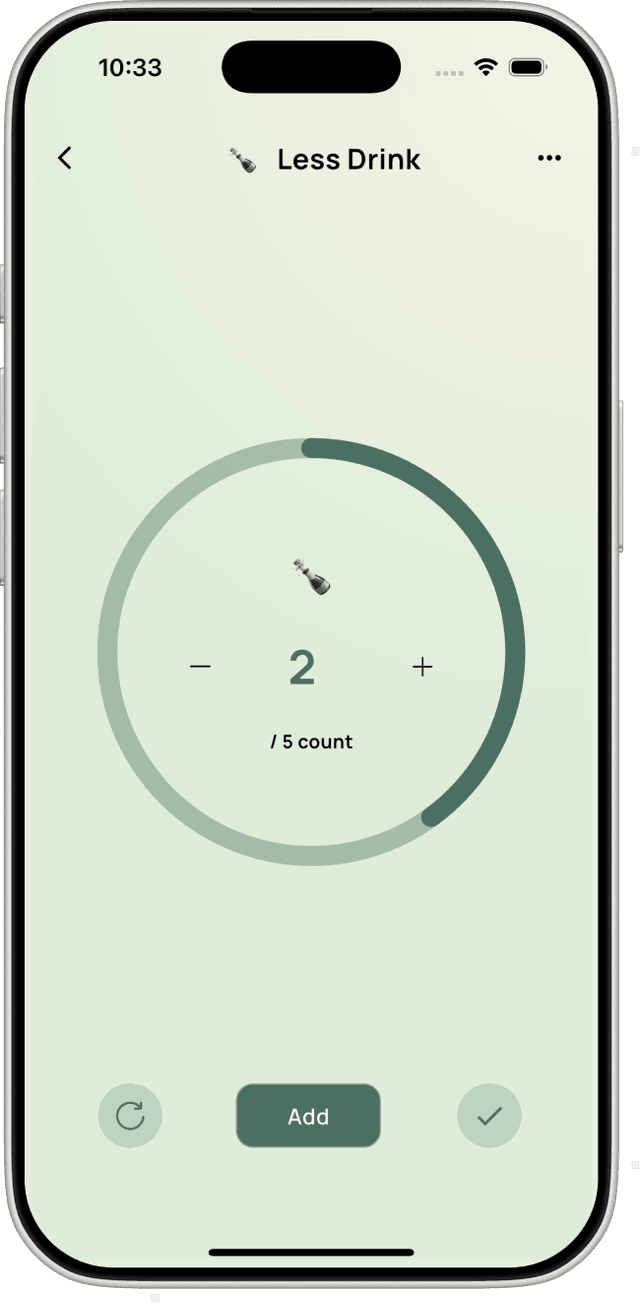
- This screen is used to actively perform and record a habit, adapting its interface based on the habit type.
- For time-based habits like Reflect, a circular timer tracks the session duration with pause, resume, and reset controls.
- For count-based habits like Take a Photo, the progress ring shows completed count with plus and add actions to log progress.
- The circular progress indicator visually fills as time or counts increase, making progress feel immediate and rewarding.
- Simple controls at the bottom allow users to reset, add, or confirm completion without leaving the focus of the habit.
Edit Habit
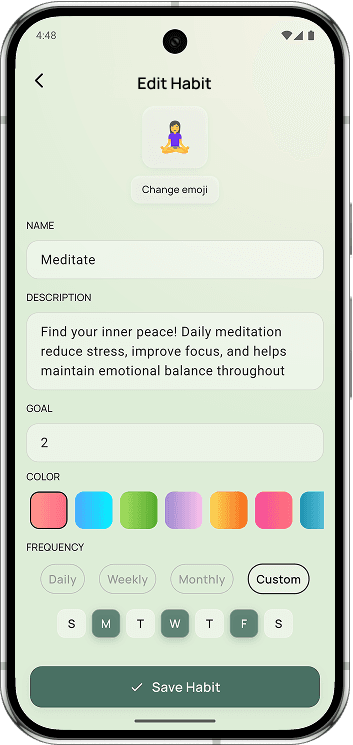
- This screen allows users to create or edit a habit by defining its details, goals, and schedule.
- Users can personalize the habit by changing the emoji, name, and adding an optional description for motivation.
- The goal value section lets users set how much they want to achieve, along with the unit and daily target.
- Frequency options allow habits to be tracked daily, weekly, or monthly based on the user’s routine.
- Reminders can be added, edited, or toggled on and off, ensuring users are notified at the right time before saving the habit.
Explore & Learn
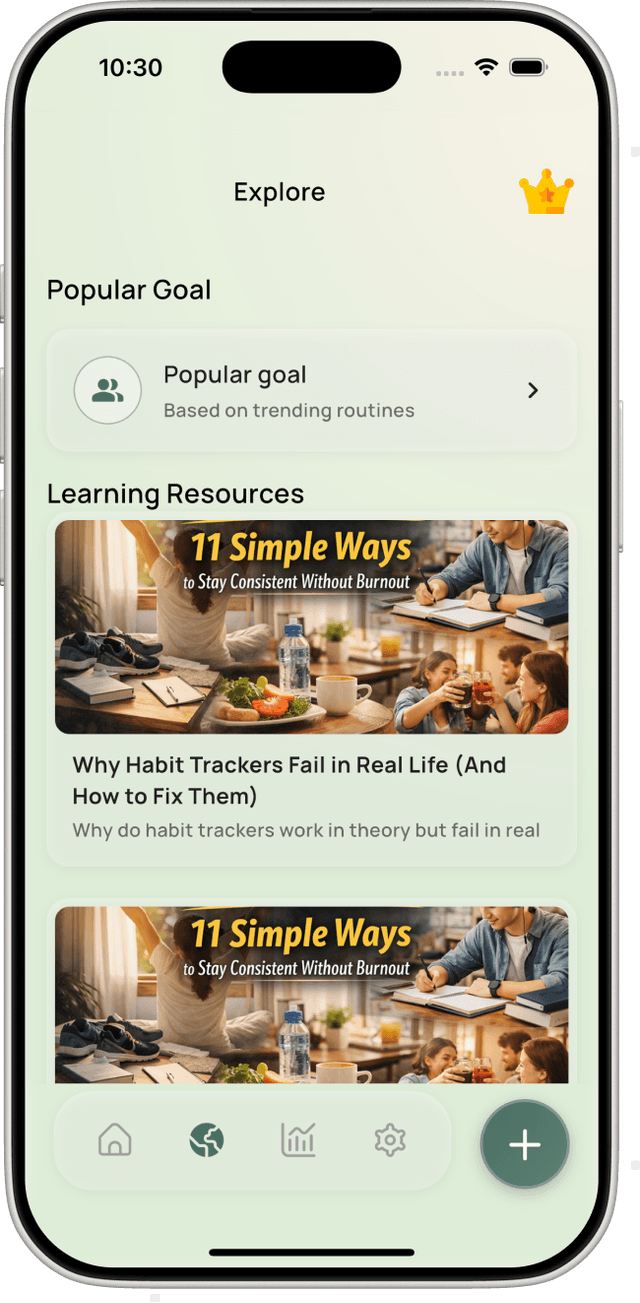
- The explore section helps you discover popular goals and educational content.
- Browse articles and guides that explain how habits work and how to stay consistent.
- Each resource is designed to be practical, actionable, and easy to understand.
- This screen supports both beginners and advanced users in building better routines.
Habit Analytics & Insights
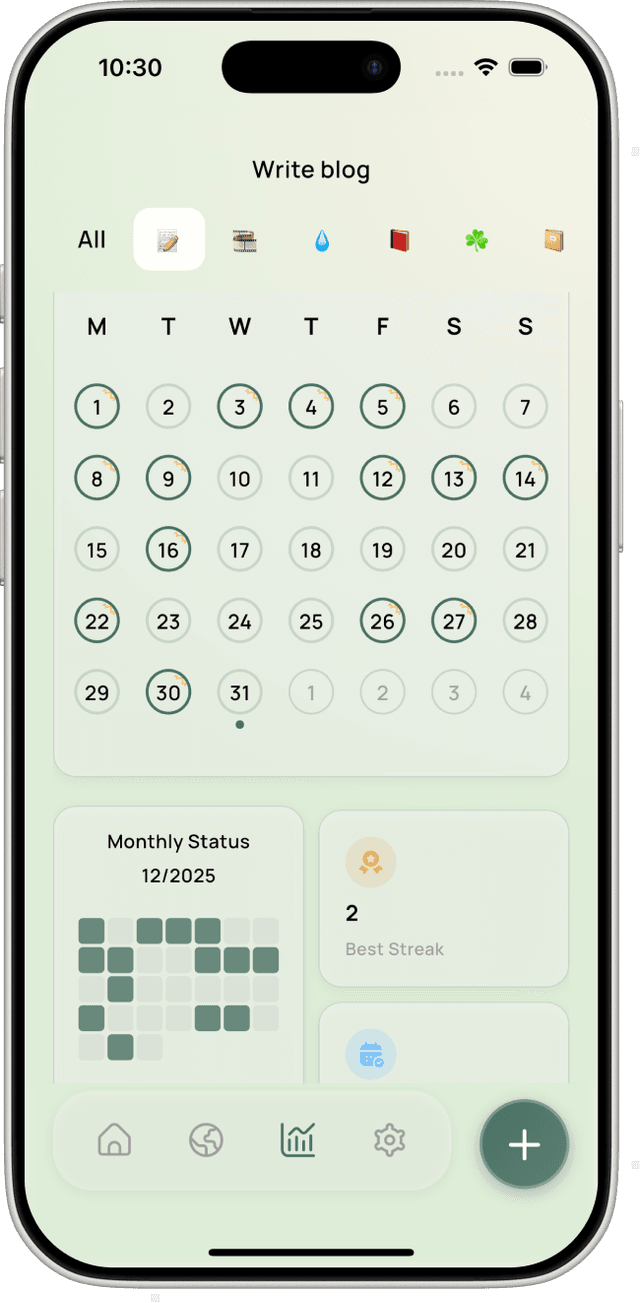
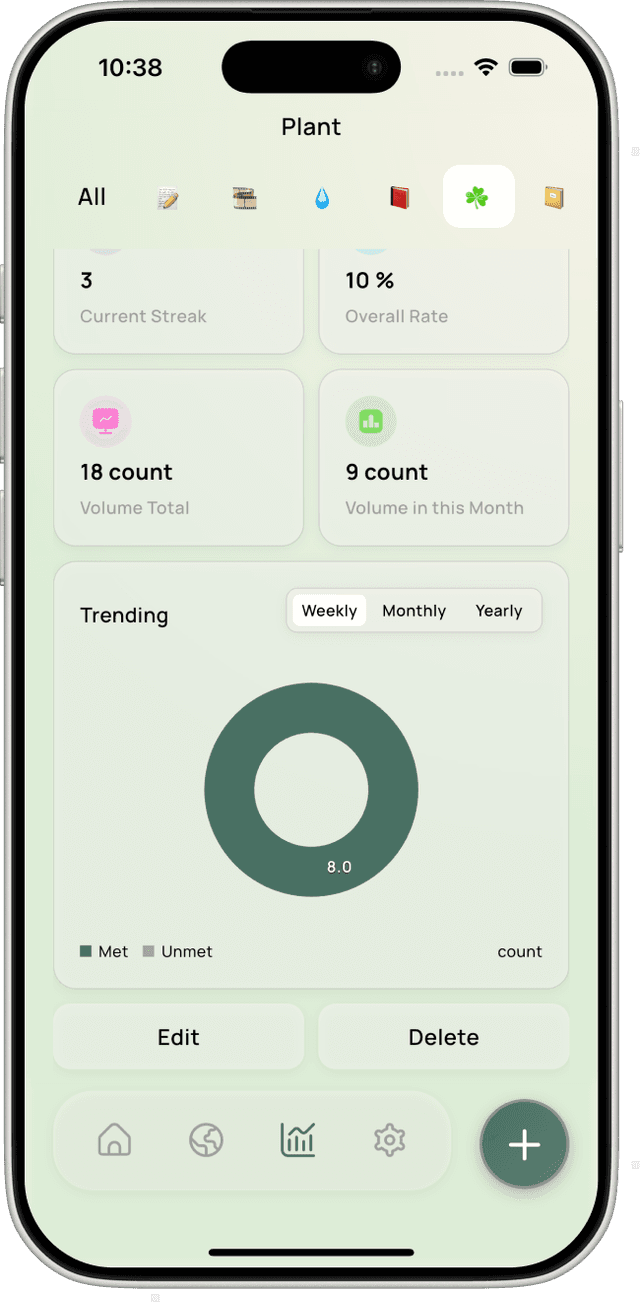
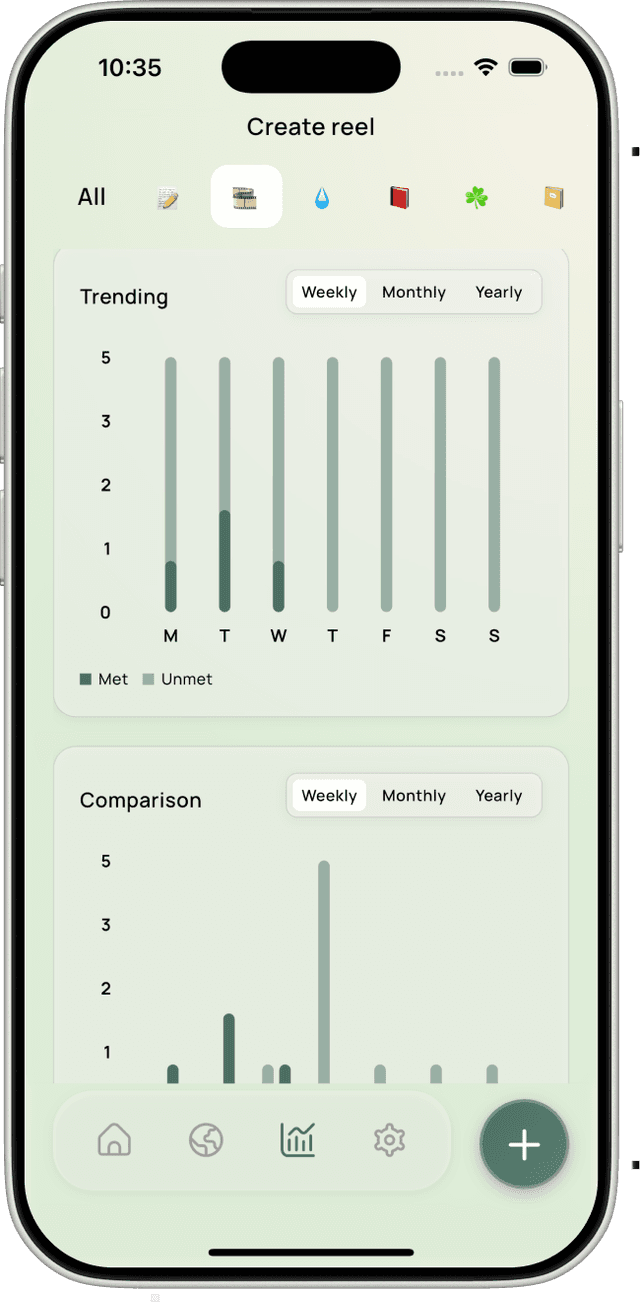
- This screen provides a detailed analytics view for an individual habit, helping users understand consistency, progress, and performance over time.
- The calendar view highlights completed and missed days, giving a clear visual history of daily habit tracking within the selected month.
- Summary cards display key metrics such as current streak, best streak, completion rate, and total volume to quickly assess progress.
- Visual analytics like ring charts and bar graphs show weekly, monthly, or yearly trends, clearly distinguishing met versus unmet goals.
- Users can manage the habit directly from this screen using Edit and Delete actions, making it both an insight and control center.

Overall Analytics & Daily Activity
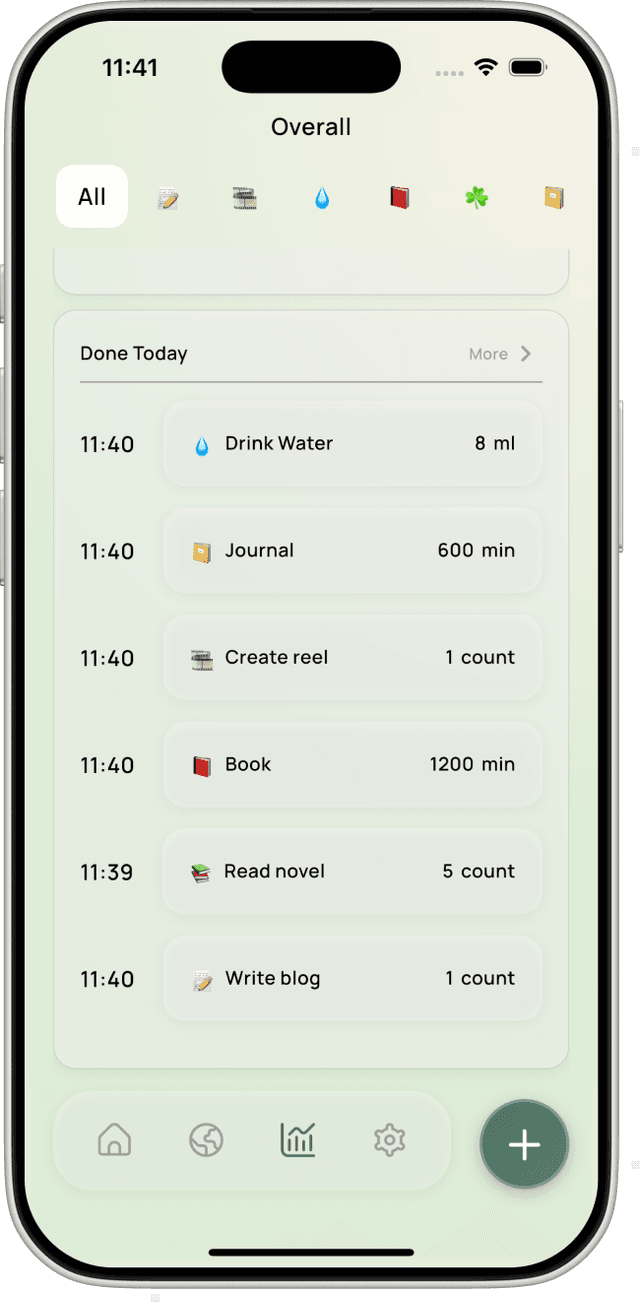
- These screens give users a complete overview of their habit journey by combining daily activity tracking with long-term progress analytics.
- The Done Today view highlights all habits completed on the current day, reinforcing motivation through visible daily wins.
- Each habit entry shows clear details like time, habit type, and value (count, duration, or quantity) for quick understanding.
- The calendar analytics view visualizes consistency across the month, helping users spot patterns, streaks, and missed days at a glance.
- An overall completion percentage summarizes progress in a single metric, encouraging reflection and steady improvement without pressure.
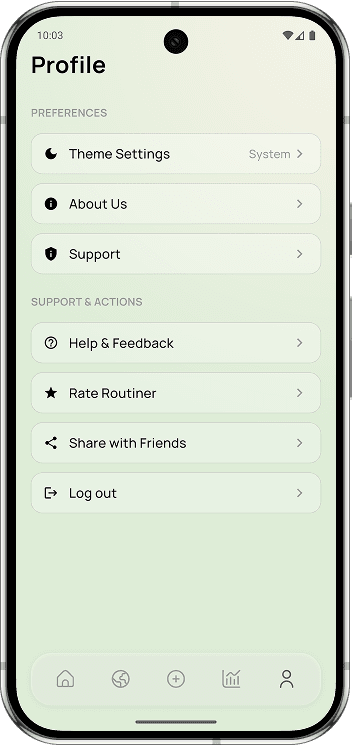
Profile & Settings
- The Profile screen acts as a central hub for managing account details, preferences, and app-related actions.
- Users can view their account information, access subscription details, and manage their Craft Routine membership.
- Preference options allow users to customize the app experience, including theme selection and notification settings.
- Support sections provide access to app information, customer support, help, and feedback for continuous improvement.
- Additional actions like rating the app, sharing with friends, and logging out make this screen complete and user-controlled.
Ready to Build Better Habits?
Download Craft Routine today and start your journey to a more intentional life.